Design Tech Workshops That Demand Attention
In the fast-paced world of technology education, standing out is half the battle. Whether you are organizing a coding bootcamp, a corporate training session on new software, or a community workshop on digital skills, your marketing materials need to do more than just list dates and times. They need to capture the energy and modernity of the tech industry itself. The Workshop and Training Vertical Flyer template is built specifically for this challenge, offering a professional, clean, and visually engaging foundation for your promotions. It is not just a static image; it is a versatile design asset that bridges the gap between corporate professionalism and creative flair.
A Blueprint for Modern Tech Aesthetics
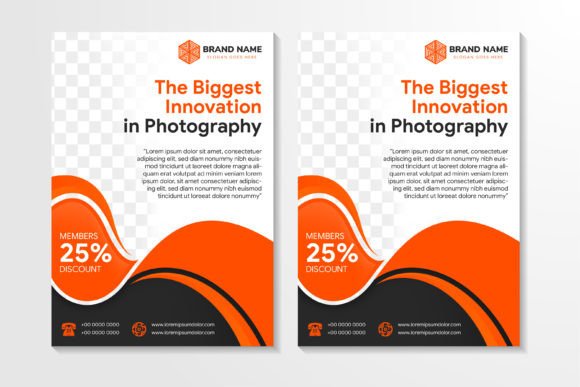
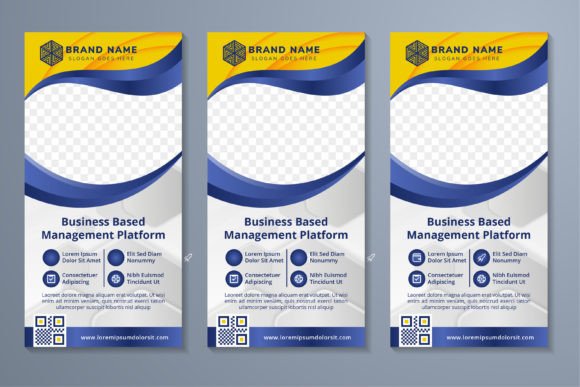
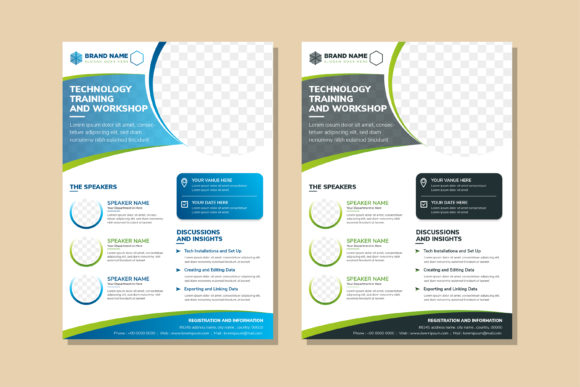
At its core, this template embodies a clean, contemporary aesthetic that feels right at home in the tech sector. The design utilizes a vertical layout, the standard A4 format that is perfect for both digital sharing and physical printing. The color palette is deliberately chosen to evoke trust, innovation, and growth, featuring variations of green and blue. These colors are staples in corporate and tech branding, suggesting reliability and forward-thinking energy. The background remains a crisp white, which serves a critical functional purpose: it maximizes readability and ensures that your text and graphics pop without visual clutter.
The most striking visual feature is the circle space for a photo collage. In design, circles often represent unity, community, and focus. By using this geometric shape to frame your imagery—whether it is photos of instructors, past events, or abstract tech visuals—you create an immediate focal point. This breaks the monotony of standard rectangular grid layouts and gives the flyer a distinct personality. The overall style is a blend of minimalism and abstract geometry. It avoids overly complex illustrations in favor of clean vector shapes that complement, rather than compete with, your content. This makes it an excellent example of modern typography and layout principles working in harmony.
Strategic Applications for Designers and Entrepreneurs
Understanding the versatility of the Workshop and Training Vertical Flyer allows you to maximize its value across different projects. This is not a single-use graphic; it is a template that can be adapted for various stages of your marketing funnel.
- Corporate Training and HR: For internal communications, this template is ideal for announcing employee upskilling sessions. The professional color scheme aligns with most corporate identities, while the structured layout ensures that logistical details are easy to scan.
- Educational Institutions and Bootcamps: If you run a coding academy or a design school, the "tech" vibe of the template resonates with your target audience. Use the circle spaces to showcase student projects or faculty portraits to build credibility.
- Marketing and Social Media: The vertical orientation is perfect for platforms like Pinterest, Instagram Stories, or LinkedIn document posts. The high-contrast design ensures that even on a small mobile screen, your social media graphics remain legible and impactful.
- Event Promotion and Conferences: Use the template as a poster or banner for tech meetups. The editable text and shapes allow you to quickly adapt the design for different speakers or sessions without starting from scratch.
The adaptability of this design asset means it can also be repurposed into brochures, leaflets, or digital presentations. Because the file is 100% vector, you can scale elements without losing quality, ensuring your brand looks sharp on everything from a small web ad to a large-format printed poster.
Technical Excellence for Professional Output
A great design idea can fall flat if the execution is poor. This is where the technical specifications of the template shine, offering the kind of quality that professional designers and serious business owners expect.
The files are provided at 300dpi, which is the industry standard for high-resolution print. This means you can send these flyers directly to a commercial printer with confidence, knowing that the colors will be vibrant and the details crisp. The inclusion of 100% vector graphics is perhaps the most significant technical advantage. Unlike raster images (like JPEGs), vectors are mathematically defined, meaning you can resize the circles, background elements, and shapes to any dimension without pixelation. This flexibility is crucial for maintaining a consistent brand identity across different media.
The package includes Ai, EPS, JPG, and SVG files. This variety ensures compatibility with virtually any software you use. Whether you are working in Adobe Illustrator for detailed editing, using a web-based tool that accepts SVGs, or simply need a quick JPG for an email blast, the template has you covered. The organization of the file is another practical benefit. "Well organized" means layers are named logically, making the editing process faster and less frustrating. You can easily isolate the editable text to change headlines, swap out the green and blue color variations to match a specific client palette, or adjust the geometric elements to create a new layout variation.
Integrating the Template into Your Workflow
For content creators, marketers, and small business owners, time is a valuable resource. A well-designed template like this acts as a force multiplier. Instead of spending hours building a layout from scratch, you can focus on the message. Here are a few practical tips for getting the most out of this resource:
- Evaluate Your Content Hierarchy: Before you start editing, decide what information is most critical. Is it the date? The topic? The guest speaker? Use the template’s built-in hierarchy—larger text areas for headlines, distinct spaces for details—to guide the viewer’s eye.
- Customizing the Color Palette: While the green and blue options are versatile, don't be afraid to adjust them to fit your specific brand identity. If your brand uses a deep navy and a bright teal, a few clicks in the vector file can transform the template to look like a custom commission.
- Photo Selection for the Collage: The circle space is a powerful design element. Choose images that are high-quality and relevant. For a technology training session, images of people collaborating, close-ups of hardware, or abstract digital patterns work well. Ensure the images have a consistent color tone to maintain a cohesive look.
- Font Pairing and Typography: While the template comes with a suggested layout, consider how your own typography choices interact with the design. If you are aiming for a sleek, modern look, a clean sans serif font often pairs well with the geometric circles. If you want to add a touch of warmth or approachability, consider a modern serif for the headers, paired with a legible sans serif for the body text. The goal is readability first.
Ultimately, the Workshop and Training Vertical Flyer is more than just a piece of graphic design; it is a communication tool designed to bridge the gap between your expertise and your audience. By combining a professional aesthetic with robust technical features, it empowers you to present your workshops and training programs with the confidence and clarity they deserve. Whether you are printing flyers for a local community center or posting a digital ad for a global webinar, this template provides the solid foundation you need to succeed.