Facebook Icon in 3d Rendering: A Modern Design Asset
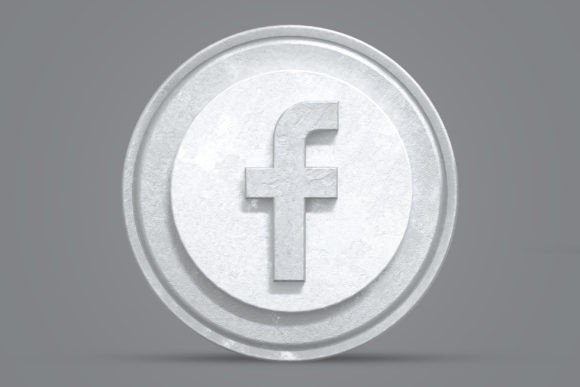
In today's visually saturated digital landscape, a flat, standard logo can easily get lost in the noise. This is where the Facebook Icon in 3d Rendering steps in, offering a powerful solution for creators seeking depth, modernity, and immediate visual impact. This isn't just a simple graphic; it's a meticulously crafted 3D rendering object designed to elevate your projects from ordinary to professional. The visual appeal lies in its sophisticated lighting, realistic shadows, and clean, dimensional form, giving the familiar Facebook symbol a fresh, contemporary personality that feels both innovative and trustworthy.
Visual Characteristics and Modern Appeal
The core strength of this asset is its high-quality 3D rendering. The object presents the Facebook "f" with a polished, almost tangible surface that interacts with light in a believable way. This creates a sense of realism and sophistication that a flat vector icon cannot achieve. The style is decidedly modern, aligning with current design trends that favor depth, texture, and subtle gradients in web design and social media graphics. The overall appeal is one of professionalism and cutting-edge relevance, making it perfect for brands that want to appear established and forward-thinking.
Practicality is woven into its very structure. Delivered as a design asset with a resolution of 4500 x 3000 pixels at 300 DPI, it's built for high-stakes projects where clarity is non-negotiable, from large-format print materials to crisp digital displays. The true genius, however, lies in its editability. Using Smart Object Replacement in Photoshop, you can customize the icon with astonishing ease. Simply double-click the smart object layer, place your own design, logo, or texture, save, and watch the 3D rendering automatically apply all the lighting and perspective effects to your new content. This transforms it from a static image into a dynamic creative font for your branding needs.
Where This 3D Icon Truly Shines
The applications for the Facebook Icon in 3d Rendering extend far beyond a simple website footer. Its dimensional quality makes it exceptionally versatile across various mediums. For logo design, it can serve as a foundational element for a tech startup, a digital marketing agency, or a creative studio, instantly establishing a brand identity rooted in innovation. In editorial design, imagine it as a striking pull-quote graphic or a section header in a magazine about technology or business. Packaging design for apps, software, or premium digital products can leverage its sleek look to convey value and sophistication.
For entrepreneurs and marketers, this asset is a game-changer for creating consistent brand identity assets. Use it to design uniform social media templates, eye-catching YouTube channel art, or professional presentation slides. Bloggers and content creators can integrate it into featured images, newsletter headers, or digital product mockups to add a layer of polish that builds audience trust. The organized PSD layers and easy color customization mean you can adapt the icon to fit any color scheme, ensuring brand consistency across all your touchpoints.
Making Smart Design Choices with 3D Elements
Integrating a high-impact element like a 3D icon requires thoughtful execution to maintain visual hierarchy and readability. Its primary role is to attract attention, so it works best as a focal point rather than a repetitive background pattern. Pair it with clean, sans serif font typefaces for body text to ensure your message remains clear and legible. The contrast between the dimensional icon and flat, readable text creates a balanced and effective visual hierarchy.
When evaluating if this premium font asset fits your project, consider your audience and the message you wish to convey. It excels in contexts where you want to communicate modernity, reliability, and technical proficiency. It's less suited for projects requiring a rustic, handcrafted, or extremely minimalist aesthetic. Always test the asset within your actual layout. Does it complement your other design elements, or does it compete with them? Does it enhance your brand perception or feel out of place? A quick mockup can save you hours of rework later.
Remember, the included JPG file is perfect for quick use in presentations or social media where advanced editing isn't needed. However, the true power is unlocked with the PSD file. The organized layers allow you to fine-tune every aspect, from the background color to the icon's hue, ensuring perfect integration into your design assets library. This level of control is what separates amateur-looking designs from professional, cohesive branding. By treating this 3D rendering as a versatile tool rather than a one-time graphic, you unlock its full potential to make your visual communications more engaging, memorable, and effective for your target audience. Thanks for downloading, and be sure to explore other works that might further enhance your creative toolkit.