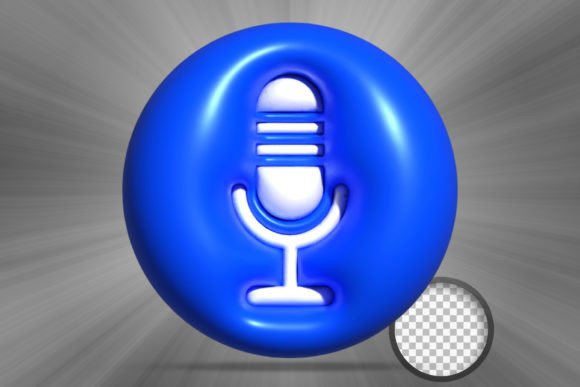
Microphone on Stand 3D Icon: A Designer's Ready-Made Asset
Every designer has been there. You're building a presentation for a new podcast launch, creating a website for a voice coach, or designing social media graphics for a music event. You need a strong visual anchor, specifically a microphone, but nothing quite fits. The generic clip art feels dated, the stock photos are uninspired, and commissioning a custom 3D render is completely out of budget. This is where a well-crafted digital asset becomes more than just a file; it becomes a creative lifeline.
The Microphone on Stand 3D Icon is designed to fill that exact gap. It's not just a picture of a microphone; it's a versatile, high-fidelity design component built for modern digital workflows. Think of it as a premium piece of 3D art, ready to be dropped into your project. The visual style is clean and contemporary, with a realistic yet stylized appeal that avoids looking too sterile or too cartoonish. It strikes a balance, giving your work a professional, polished feel without overwhelming the other design elements. Its personality is one of confidence and clarity, instantly communicating themes of communication, audio, broadcasting, and performance.
Where This 3D Asset Shines: Real-World Applications
The true value of a design asset lies in its adaptability. The Microphone on Stand 3D Icon is built to be a workhorse across a surprisingly wide range of projects. Its high-resolution (4500 x 3000 at 300 DPI) means it's not just for tiny web icons; you can scale it for large-format print or high-definition video without losing quality. This makes it a genuinely multi-purpose component for any creative toolkit.
Consider these practical uses:
- Branding and Logo Design: For a podcast, radio station, audio production company, or musician, this icon can serve as a powerful logomark or a key element within a broader brand identity. It provides immediate context and a modern, three-dimensional feel that flat logos often lack.
- Marketing and Social Media Graphics: Create eye-catching Instagram posts announcing a new episode, design compelling YouTube thumbnails, or build engaging Facebook ads for a webinar. A 3D element like this cuts through the visual noise of a crowded feed.
- Web and UI Design: Use it as a hero image on a landing page, a custom icon in the navigation of an audio platform, or a visual cue in a user interface to indicate a voice recording feature. It adds depth and a tactile quality to digital experiences.
- Editorial and Publishing: In a blog post about starting a podcast, a magazine feature on a singer, or an online course about public speaking, this icon can break up text, illustrate a point, and make the content more visually engaging.
- Presentation and Pitch Decks: When you're pitching a new media project, a slide with this high-quality 3D icon instantly elevates your message, showing that you value professionalism and attention to detail.
Integrating the Asset: A Practical Workflow
Getting a great result from a design asset depends on how well it integrates into your process. This is where the technical build of the Microphone on Stand 3D Icon template truly proves its worth. The promise of being "very easy to use" isn't just marketing speak; it's a reflection of a thoughtful file structure designed for efficiency.
The core of its usability is the Smart Object Replacement feature included in the PSD file. For those unfamiliar, a Smart Object is a special layer in Adobe Photoshop that preserves an image's source content. In practice, this means you don't have to destructively edit the icon itself. Instead, you simply double-click the Smart Object layer, a new window opens, and you can make your changes—whether it's adjusting the color of the microphone, changing the background, or adding a texture. Once you save that window, the changes automatically apply to the main icon, perfectly rendered in 3D. This non-destructive workflow is a massive time-saver.
Furthermore, the organized layers are a godsend for any designer who has ever opened a file with hundreds of unnamed, chaotic layers. Being able to quickly isolate the microphone's metallic mesh, its stand, or its base allows for precise color changes and customizations. This level of control means the icon can be adapted to fit virtually any color palette, ensuring brand consistency is never compromised. Whether your brand identity uses a sleek silver and black or a vibrant, energetic orange, you can make this asset your own in minutes.
When choosing to use this or any premium font or graphic asset, the process is similar. First, evaluate the project fit. Does the clean, modern style of the icon match the tone of your brand or client? Next, consider its context. How will it pair with your chosen typeface? A bold, geometric sans serif font might complement its modern feel, while a classic serif font could create an interesting contrast for a more sophisticated look. This process of testing font pairing and visual hierarchy is crucial. Finally, always be mindful of licensing. This file comes with assets for both personal and commercial use, giving you the freedom to use it confidently in client work, products for sale, and your own brand materials.
Ultimately, the goal of any design asset is to solve a creative problem efficiently and effectively. The Microphone on Stand 3D Icon does exactly that. It provides a high-quality, versatile, and easy-to-edit piece of 3D art that empowers designers, marketers, and creators to produce more polished and professional work without starting from scratch. It’s a practical tool built for the realities of modern creative projects.